Trading Software OrbitX
Free professional platform for sports exchange trading. Fast execution, advanced charts and tools that make the difference.
Professional Trading Software
Advanced ladder trading, multi-market view and one-click execution on Orbit Exchange.
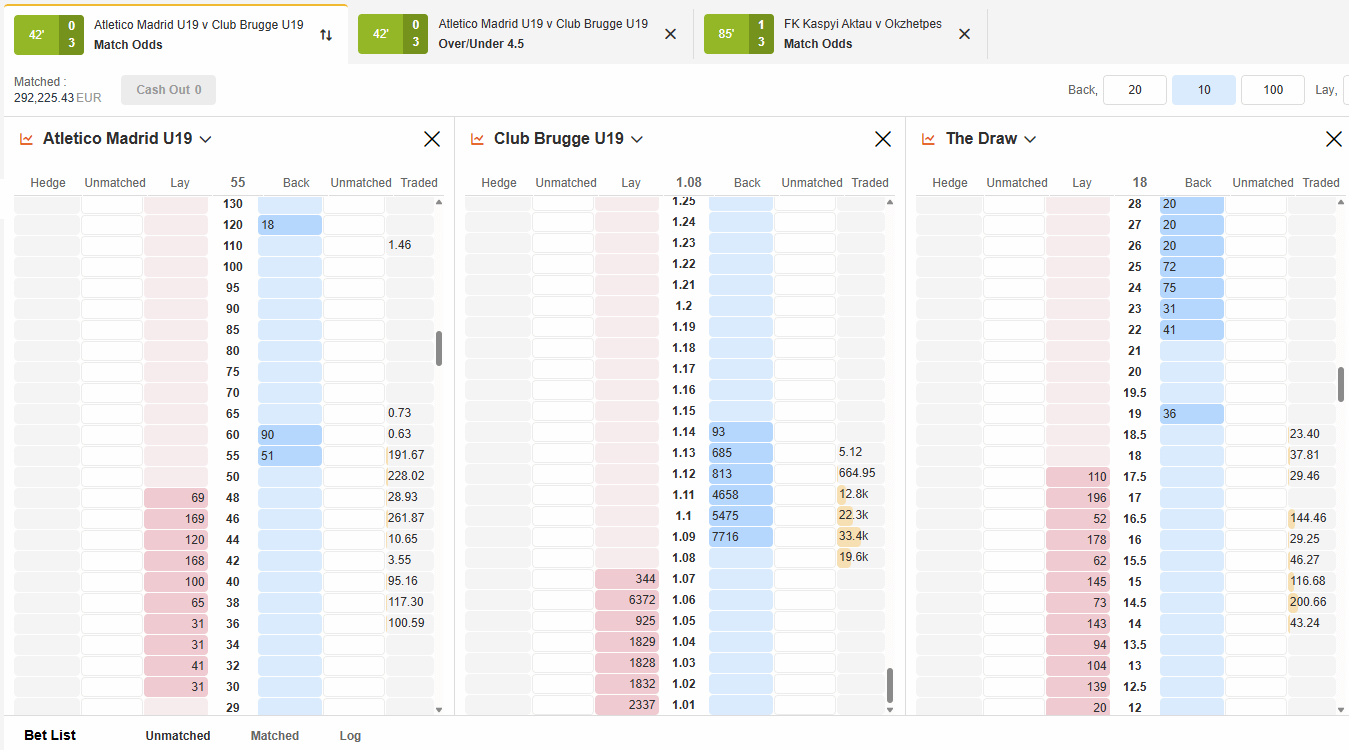
See the Software in Action
Watch the full demonstration of OrbitX features and interface.
Elite Features
Everything a professional trader needs, in one platform.
Professional Interface
Platform designed for serious traders, with real-time charts and fast execution.
Instant Execution
Bets executed in milliseconds, with no delays that could cost you money.
One-Click Trading
Place and close positions with a single click. Maximum efficiency.
Advanced Charts
Technical analysis with line charts, candlestick and multiple indicators.
Automatic Stop Loss
Protect your bankroll with automatic stop loss on every trade.
Fully Customisable
Customise layouts, shortcuts and settings to match your style.
Automatic Cash Out
Set profit targets and the system automatically closes the position.
100% Free
No licence fees or subscriptions. Free for all BetAdvisor clients.
Multi-Market
Monitor and trade across multiple markets simultaneously in one window.
Integrated TradingView
The world's most popular technical analysis tool, now integrated directly into your OrbitX trading software for free.
OrbitX vs Paid Software
Compare features and see how much you can save annually by choosing our free platform.
| Feature | OrbitX (Free) | Paid Software |
|---|---|---|
| Ladder Interface | ✓ | ✓ |
| TradingView | ✓ | ✗ |
| One-Click Betting | ✓ | ✓ |
| Automatic Cash Out | ✓ | ✓ |
| Stop Loss | ✓ | ✓ |
| Multi-Market | ✓ | ✓ |
| Real-time Charts | ✓ | ✓ |
| Monthly Price | €0 | €6 - €120 |
With OrbitX's free software, you save €72 to €1,440 per year.
Software Settings
Full control over platform behaviour. Enable or disable each option to match your trading style.
Stake Type
Profit
The value you enter is the profit you want to make if the bet wins. The real stake is automatically calculated based on the odds.
Liability
Used for Lay bets. The value entered represents the maximum liability (what you lose if the event occurs).
Fill or Kill
When enabled, the order is only executed if there is enough liquidity to fill it in full. If there is not enough volume available, the order is automatically cancelled — prevents unwanted partial fills.
Keep In-Play
Keeps orders active when the event goes In-Play (live). With this option disabled, orders are automatically cancelled the moment the market switches to live mode.
One Click Betting
Allows placing bets with a single click on the odds ladder, without a confirmation window. Essential for live trading where every second counts. Enable only once you are fully familiar with the platform.
Tick Offset
Automatically places an exit order a set number of ticks away from your entry price. For example, with a Tick Offset of 2: you enter at odds 2.00, and the cash out order is automatically placed at 1.98. Ideal for fast scalping strategies.
Technical Requirements & Account
OrbitX is lightweight and runs directly in your browser, no powerful hardware or complex installations required.
Browser
- Chrome, Firefox, Edge, Safari
OS
- Windows, macOS, Linux
Internet
- Stable (Fibre recommended)
Account & Payments
- Opening: up to 24 hours
- Withdrawals: up to 24h
- Currencies: EUR, USD
FAQ
Frequently asked questions about OrbitX software.
Is the trading software really free?
Yes, 100% free. There are no license costs, monthly fees or hidden charges for BetAdvisor clients. Supports EUR and USD accounts.
Do I need to install anything?
No. OrbitX works directly in your browser, which means you can access it from any computer without downloads or installations.
Does it work on mobile?
Yes! The OrbitX trading software (TradingView) can now be accessed on both desktop and mobile devices (smartphone and tablet). You can trade from any device with an internet connection.
Can I use it for live (in-play) trading?
Yes, OrbitX is ideal for live trading, with real-time updates and instant order execution. Withdrawals processed up to 24h.
Does the TradingView have all features?
It includes essential features for sports trading adapted to the exchange context, allowing professional technical analysis with indicators and drawing tools.
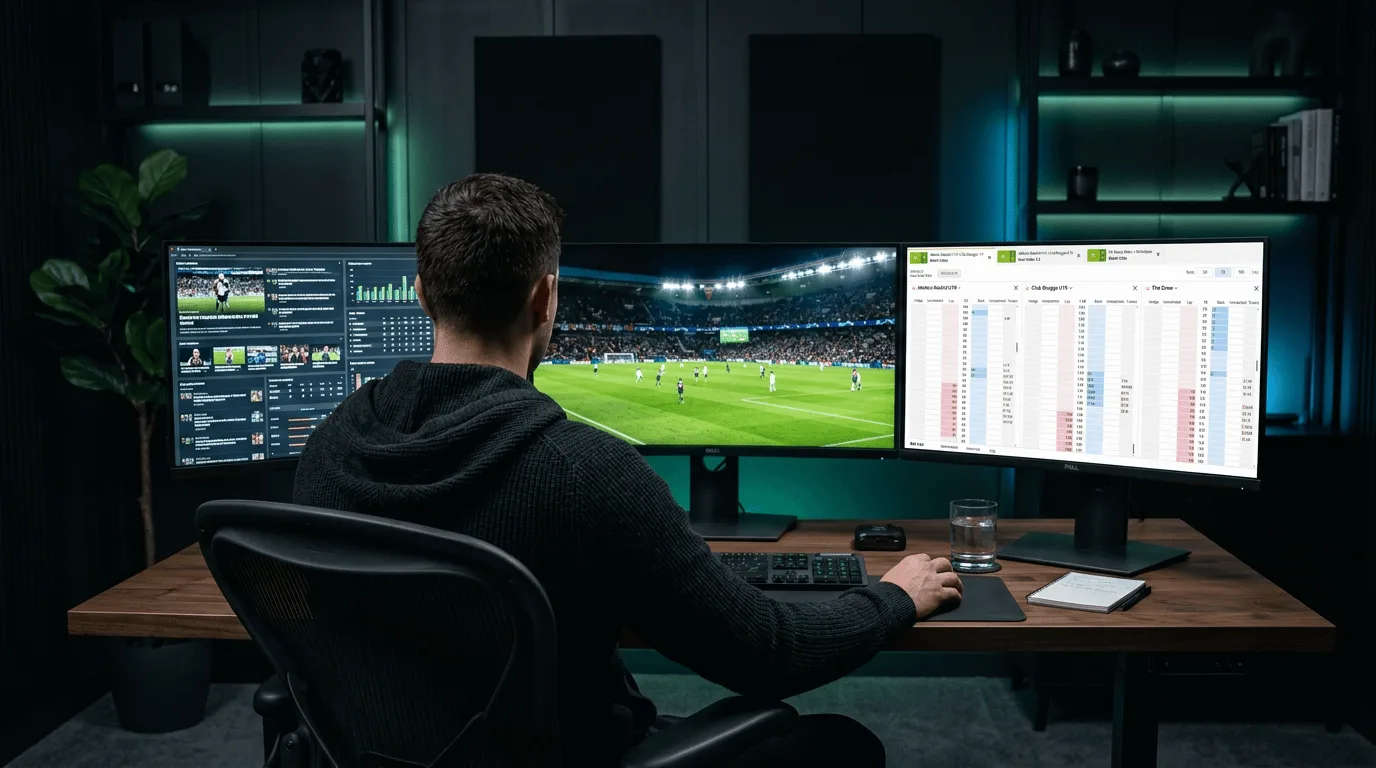
Your Trading Setup
OrbitX software was designed for desktop — where every market detail matters.
Monitor multiple markets simultaneously, execute orders with one click and instant cash out — all from your desktop with maximum speed and precision.
Get StartedComplete Desktop Interface
Live markets, price ladders, cash out and multi-market trading in a single view.
Why Use OrbitX?
More than software — it's the competitive edge you need.
Superior Speed
OrbitX was built for speed. Every millisecond counts in live trading, and our platform ensures your orders are executed before the competition.
No Hidden Costs
100% free for BetAdvisor ST clients. No monthly fees, no licences, no surprises. Professional tools at zero cost.
Dedicated Support
Specialised support team available 7 days a week. We help with installation, setup and platform optimisation.
How to Get Started
3 simple steps to start using OrbitX.
Open an Account
Register on OrbitX or BFB247-96EX through BetAdvisor ST to get the best conditions. Account opening up to 24 hours.
Access the Software
Access OrbitX directly in your browser after registration. No installations, no downloads.
Start Trading
Set up your workspace, choose markets and start sports trading with professional tools.

Ready to Use the Best Software?
Open your account today and start sports trading with professional tools — 100% free.
Open Free Account