How to Deposit and Withdraw
Step-by-step guide to managing your funds on BFB247-96EX and Orbit Exchange with total security.
Deposit Process
Simple, fast, and secure.
Access Deposit
Log in to your BFB247-96EX account and click the "Deposit" button in the top menu.
Choose Method
Select your preferred wallet (Skrill, Neteller, AstroPay, Crypto, etc.) and the amount.
Confirm and Transfer
After depositing, use the "Transfer" function to move the balance to Orbit Exchange.
Do not log in to services such as Skrill, Neteller, AstroPay or similar while using an active VPN. Temporarily turn off the VPN before accessing these services.
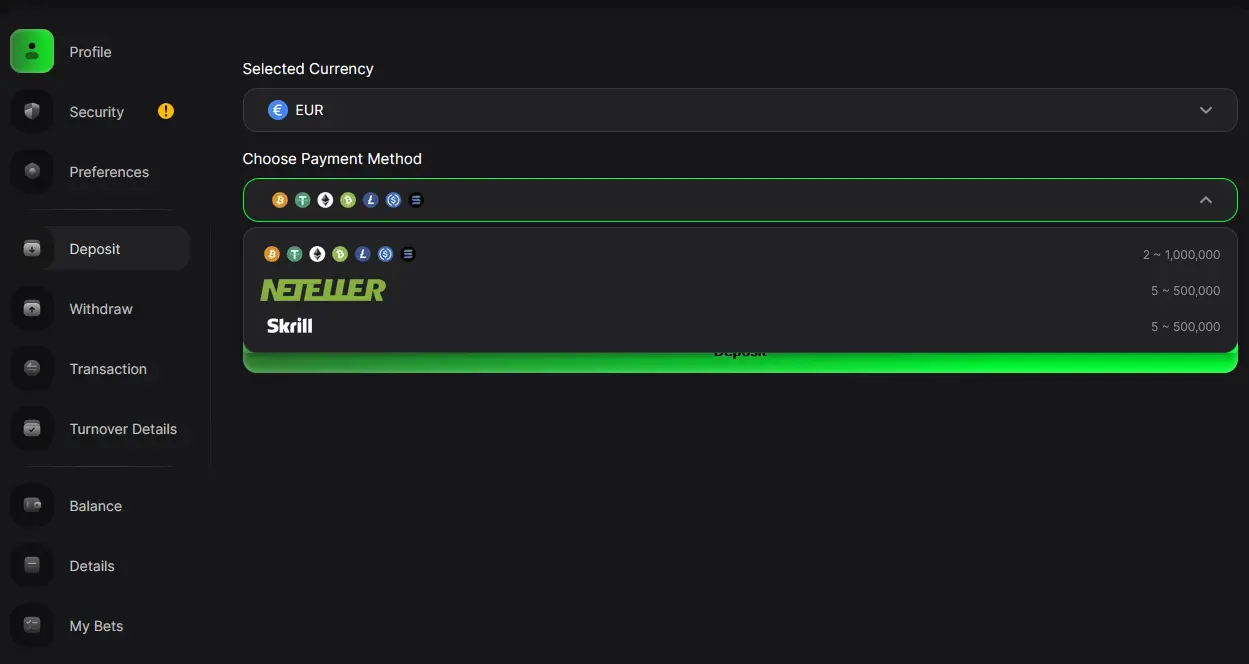
Deposit interface on BFB247-96EX
How to Deposit With Cryptocurrency
A complete guide to sending USDT, Bitcoin, and other cryptocurrencies to your BFB account with total security.
Select USD
Log in to the BFB platform and select USD (US Dollar) as your account currency.
Choose Cryptocurrency
In the deposit window, find the Cryptocurrency option, identified by its symbol, and select it.
Enter the Amount
Enter the amount in USD you wish to deposit.
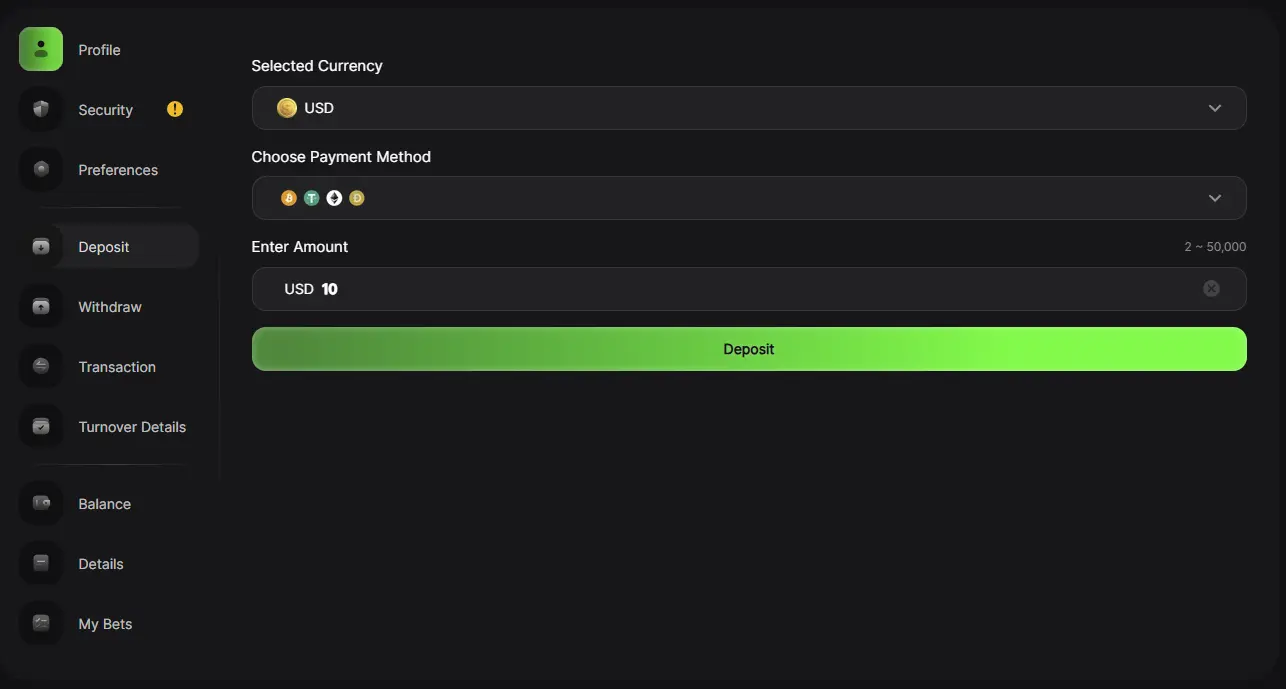
Selecting currency, crypto method, and amount on BFB247-96EX
Select Coin and Network
On the next screen, BFB shows the available cryptocurrencies and networks. Choose your coin and the matching deposit network.
Copy the Address
BFB provides a deposit address. Copy that address.
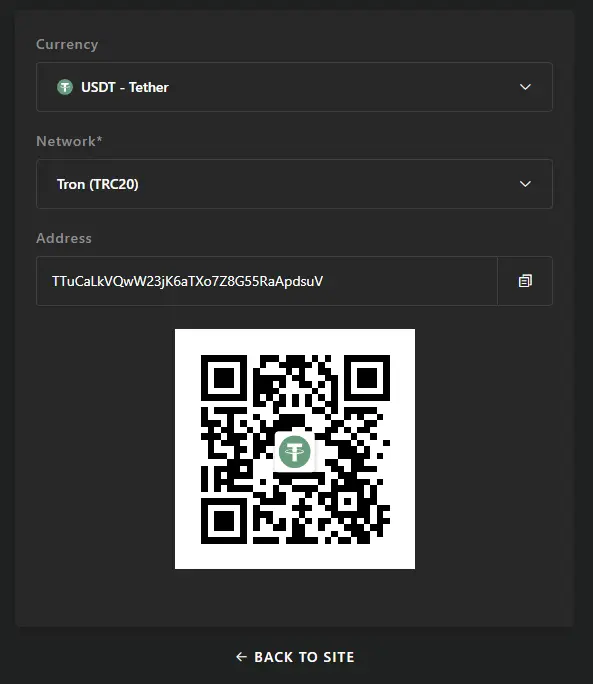
Coin, network, and deposit address generated by BFB247-96EX
Access Your Exchange
Log in to the exchange or wallet where you hold your crypto (Binance, Coinbase, or another) and select the send/withdraw option.
Confirm the Transfer
Paste the address copied from BFB, select the exact same coin and network, double-check the details, and confirm the send.
Warning — Always Check the Network!
The cryptocurrency and network used for the transfer must match exactly what you selected on BFB. Sending through the wrong network or to an incompatible address can result in the permanent loss of funds.
Withdrawal Process
Receive your profits in minutes.
Transfer to Main
Move the Orbit Exchange balance back to your "Main Wallet" on BFB247-96EX.
Request Payout
Go to "Withdraw", choose the method and enter the desired amount.
KYC Verification
Enter your document number (ID/Passport) to validate the transaction.

Withdrawal interface on BFB247-96EX
Deposits & Withdrawals on Orbit BF
Make deposits and withdrawals in minutes.
On Orbit Exchange BF, deposits and withdrawals are made directly on the platform. Simply access the "Payments" section, choose your preferred payment method (Skrill, Neteller, AstroPay or Bitcoin/Tether), enter the amount and confirm.
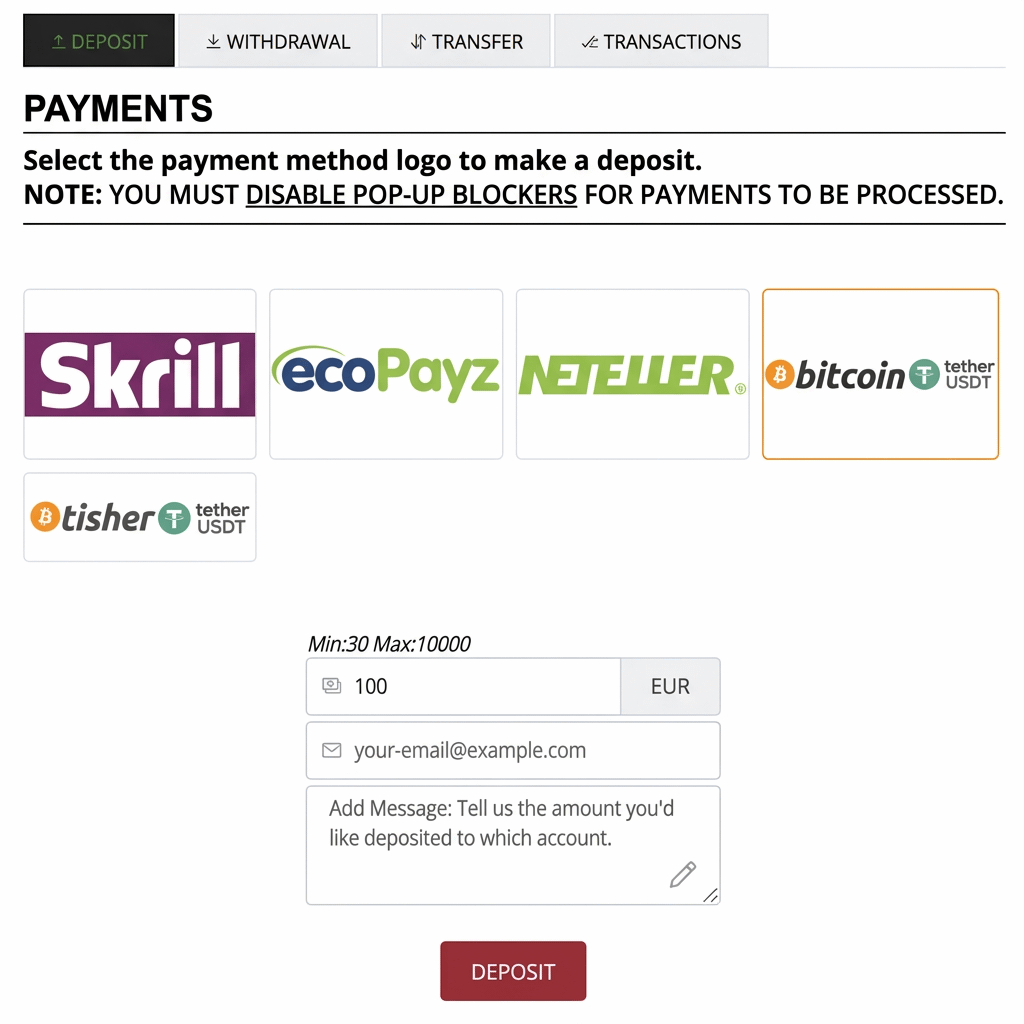
Payments interface on Orbit Exchange BF
Important Information
Processing Times
Deposits are instant. Withdrawals usually take between 5 to 15 minutes.
KYC Security
Identity verification is mandatory to ensure the security of your funds.
Fees and Limits
Minimum deposit of €10. We do not charge fees for withdrawals.
24/7 Support
If you have any difficulty, our team is available at any time.
