Register Orbit Exchange
Step-by-step guide to open your account on Orbit Exchange via Bet-Football
Get Started in 3 Simple Steps
From account creation to your first bet — all in under 15 minutes.
Quick Registration
Fill in the form and verify your account.
See details 02Secure Deposit
Skrill, Neteller, AstroPay or Crypto (USDT).
See details 03Professional Trading
Instant access to free software.
See detailsStep by Step Guide
Follow each step in detail to complete your registration.
If you live in a country with geographical restrictions on betting exchanges, please register here through BFB247 to get a verified OrbitX account.
STEP 1 - REGISTER WITH BET-FOOTBALL
Access the Bet-Football website through our exclusive link and fill in the registration form with your real data.
REGISTER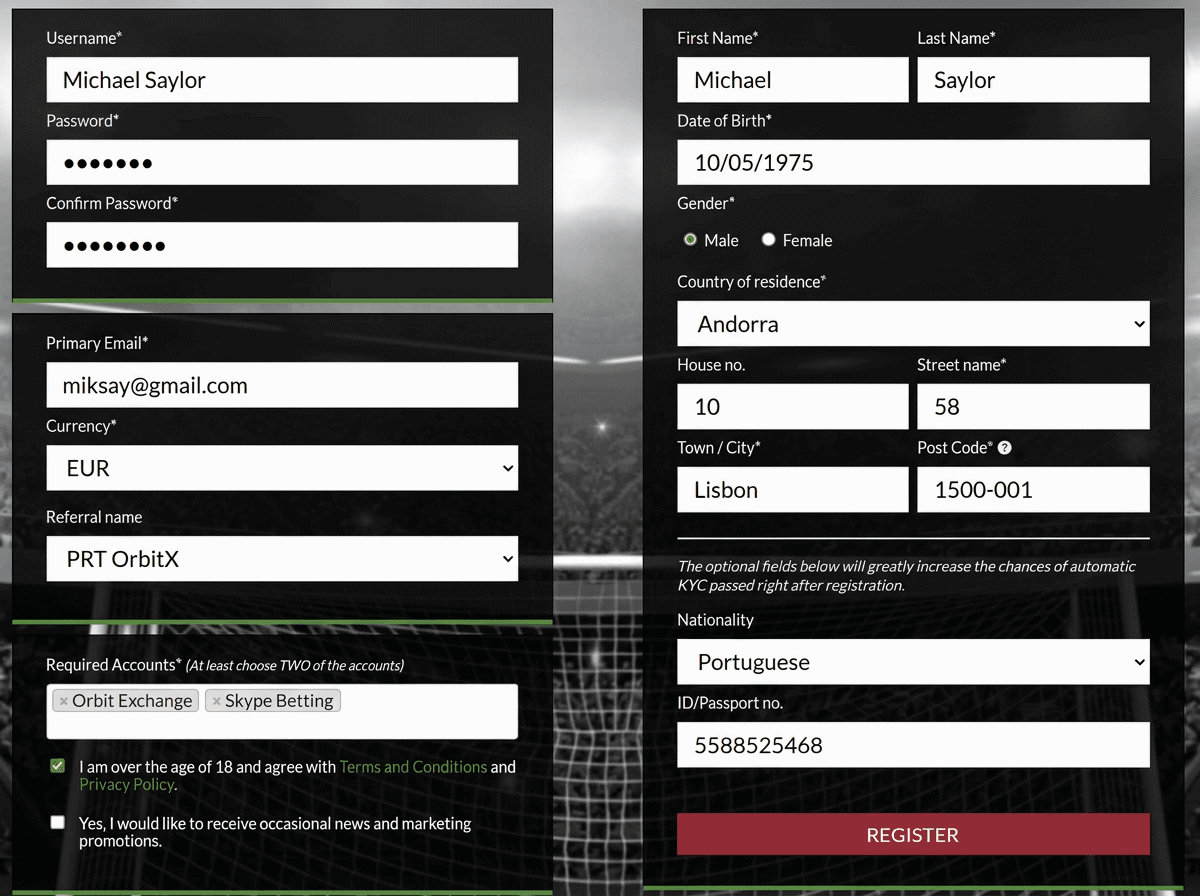
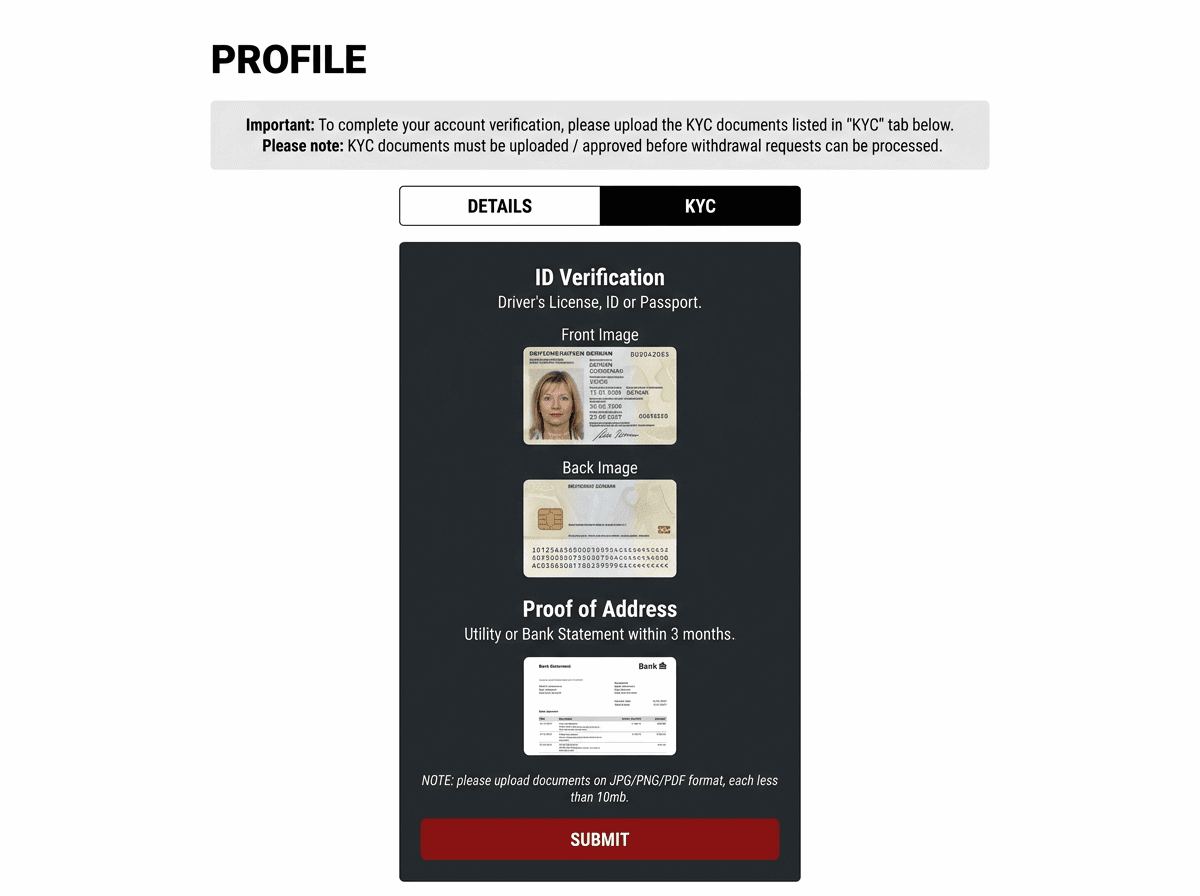
STEP 2 - VERIFICATION (KYC)
Upload your identification documents and proof of address to verify your account. This step is essential to ensure the security of your funds.
- 1x Identification Document (ID, Passport)
- 1x Proof of address (issued in the last 3 months): Water or electricity bill or Bank statement
STEP 3 - INITIAL DEPOSIT
After receiving the email confirming your identity verification.
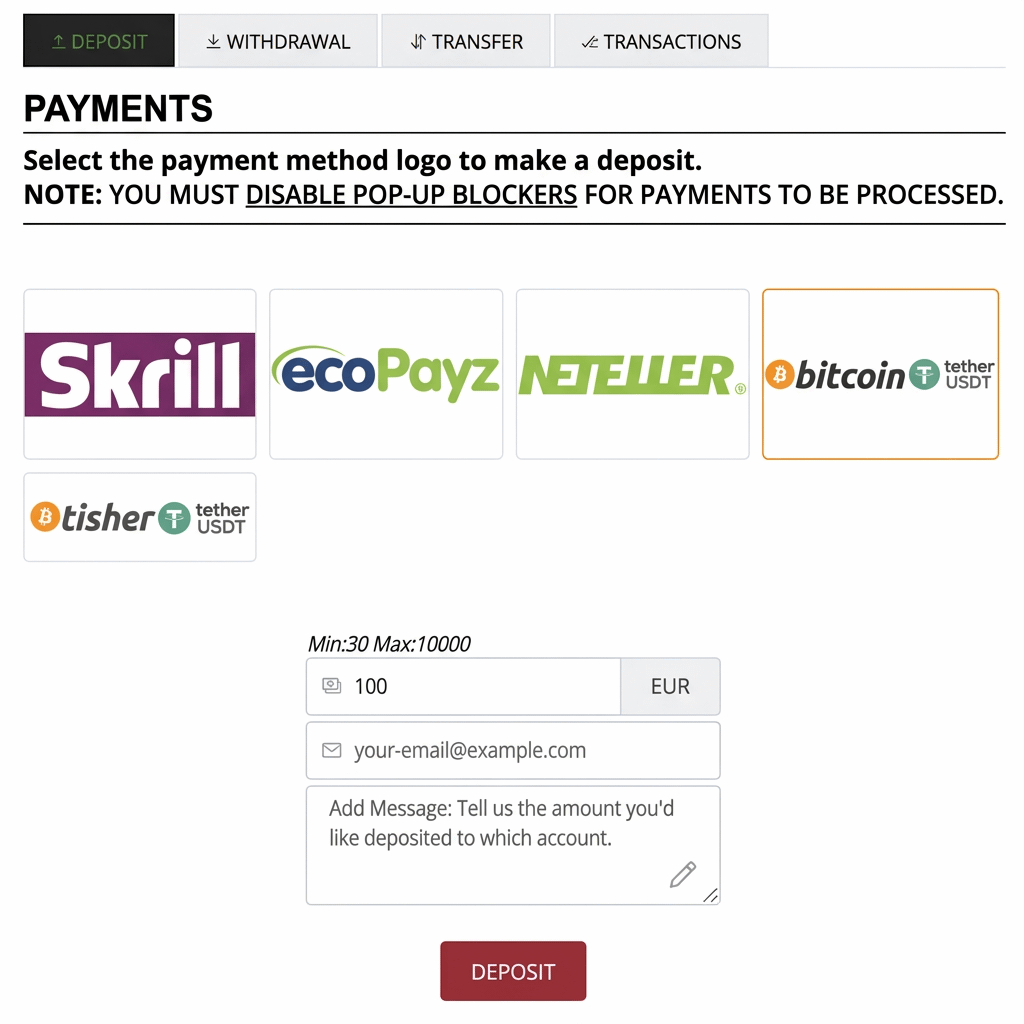
Log in to Bet-Football and make your first deposit using one of the several available methods (Skrill, Neteller, AstroPay, Crypto, etc.).
The minimum amount is €30 (even if the Bet-Football email states €100, you can make your first deposit with €30).
Users who need a VPN to access Bet-Football: Turn off the VPN momentarily when logging into Skrill, Neteller or AstroPay to make the deposit. After the deposit, you can turn the VPN back on.
Available payment methods:
Video Tutorial — How to deposit
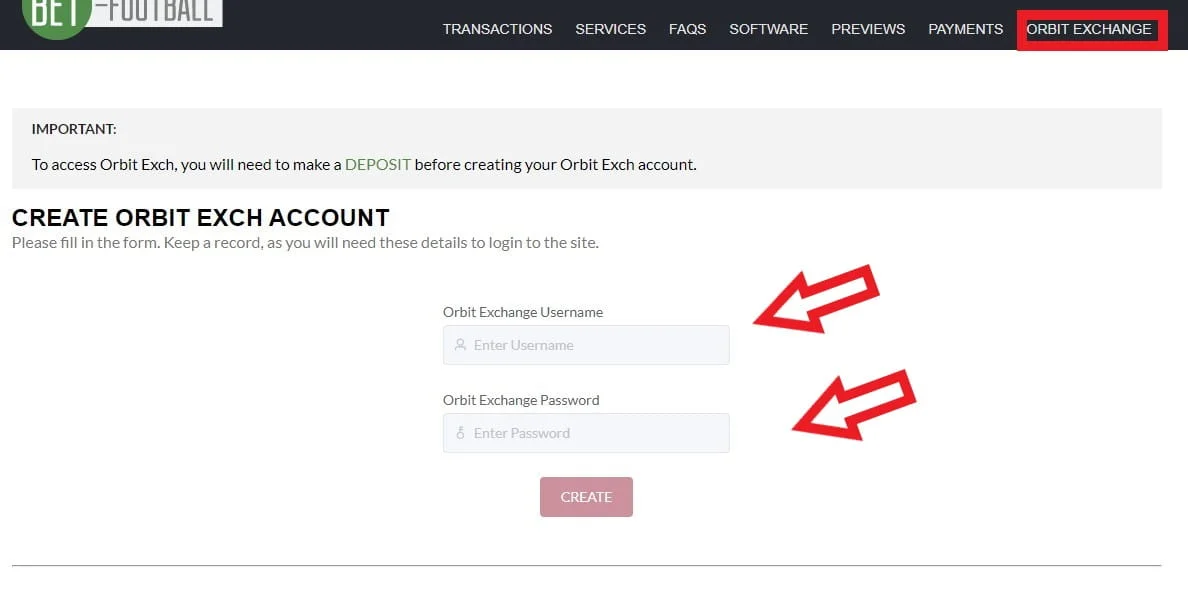
STEP 4 - CREATE ORBIT ACCOUNT
Click on Orbit Exchange.
Choose your Orbit Exchange username.
Choose your Orbit login password.
Click "Create" to create your Orbit account.
Video Tutorial — How to create an OrbitX account
STEP 5 - TRANSFER FUNDS TO ORBIT
Now let's move the funds deposited in Bet-Football to Orbit Exchange.
Go to Transfer → Select from: Bet-Football → to: Orbit Exchange → Enter the amount → Click Transfer.
REGISTER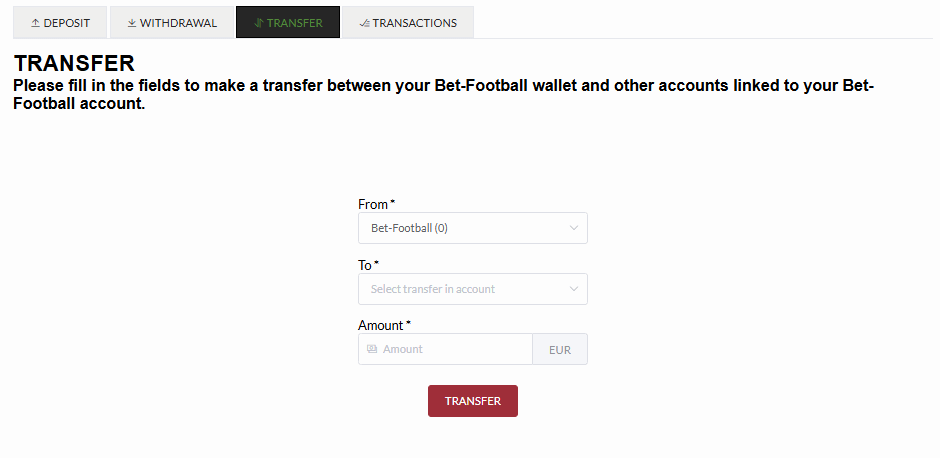
STEP 6 - ACCESS ORBIT EXCHANGE
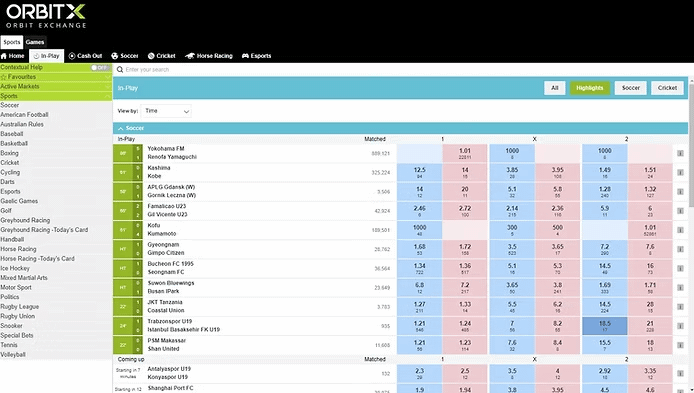
Use the access data you chose in step 4 to enter the Orbit Exchange platform and enjoy the best odds on the market.
In some countries it is necessary to use a VPN to access the Bet-Football website. VPN servers must be located in Denmark or Norway. See free VPN guide
Ready to Start?
Open your account on Orbit Exchange via Bet-Football and start sports trading with the best odds on the market.
REGISTER